

Step 1: Setup
To get up and running on io.network, you first need to create an MPC signer so you can receive, store, and send tokenised assets.
- Register a device (so you can sign transactions securely)
- Create a vault (where your assets live)
- Generate API keys (to interact programmatically)
1. Creating a vault
io.vault uses Trustless Multi-Party Computation (tMPC) to secure your assets. When creating a new vault, you determine who controls key shares, how many shares they hold, and the threshold required to sign a transaction. See About tMPC for more detail.
Register a device
Follow the device registration guide to link your mobile device to your workspace. After you complete the mobile setup flow, your device appears as an available signer when creating a new vault.
Create a vault
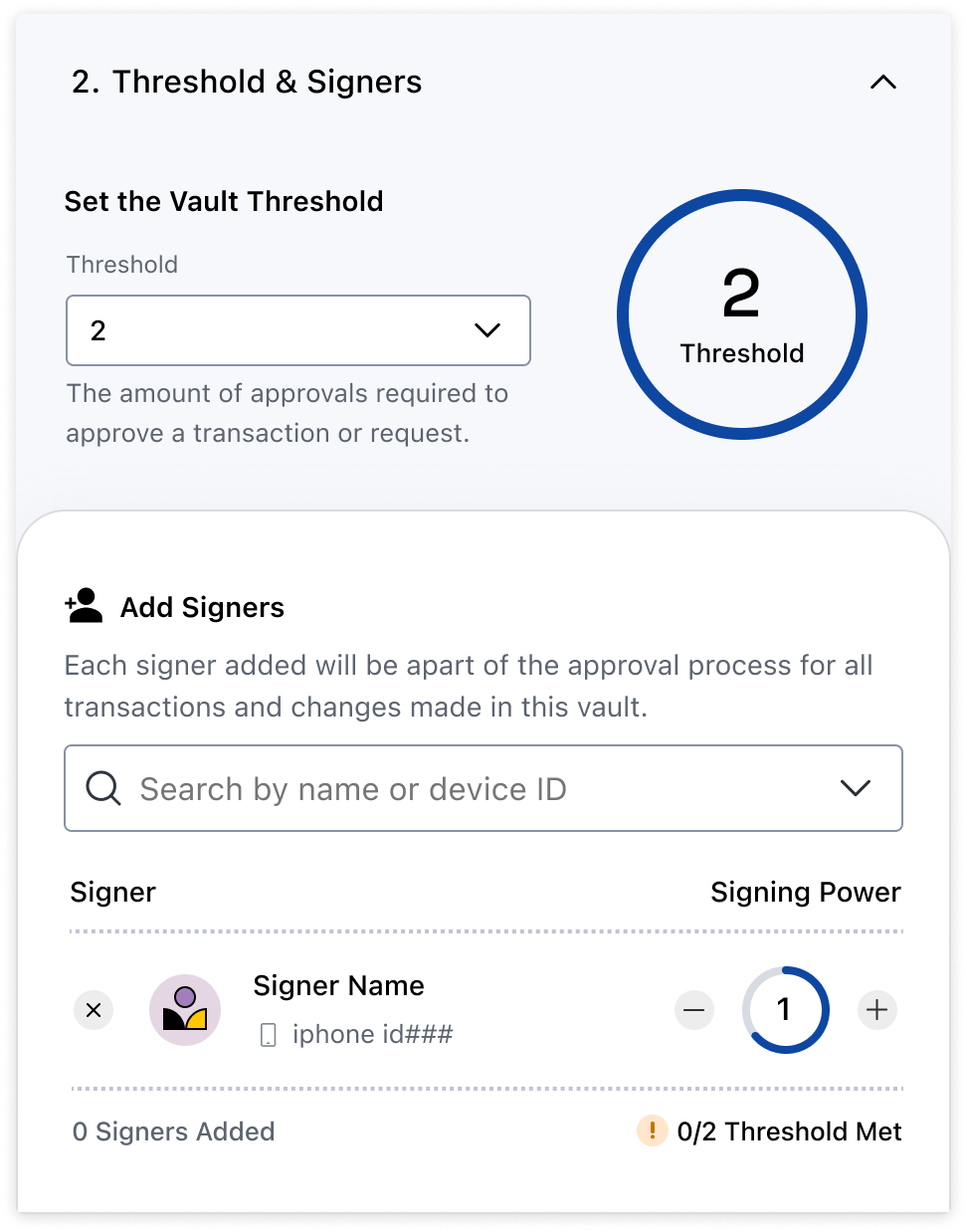
Click "Create Vault" and configure your signing party by setting your threshold, the devices within the party, and each device's signing power.
Note: you can use a physical device (Android or iPhone) as a signer, but to automate this vault follow step 4 and use a Virtual Signer instead.
2. Whitelist your vault
By default, all vaults and their addresses are blocked on io.network. Attempting to send or receive an asset will fail. This ensures io.network remains a compliant, governed network managed by a regulated principal member.
To whitelist your newly created vault, contact your principal member who will begin the onboarding process. They will ask which vault you want to whitelist; provide the vault you created in the previous step. If you are unsure how to start the onboarding process, reach out to customer support.
3. Generate API credentials
Now that you have a whitelisted vault, you need API credentials to interact with it programmatically.
- Log in to the io.vault dashboard.
- Go to Settings > API Keys.
- Click Create API Key.
Save your Client ID and Client Secret somewhere safe. You will not see them again.
Your API credentials will look like this:
Client ID: 16fc281f-b6ca-4e21-9bf0-53887253db85
Client Secret: Px7&nKFKx8vcjxeief256wX&...
4. Authenticate and get an access token
The io.vault API implements the OAuth specification. Use your client ID and secret to obtain an access token.
const authResponse = await fetch('https://api.iofinnet.com/v1/auth/accessToken', {
  method: 'POST',
  headers: {
    'Content-Type': 'application/json',
    'Accept': 'application/json'
  },
  body: JSON.stringify({
    clientId: '<client_id>',     // Your API Client ID
    clientSecret: '<client_secret>' // Your API Client Secret
  })
});

const { accessToken } = await authResponse.json();
Pass the access token in the Authorization header when calling API endpoints:
headers: { 'Authorization': `Bearer ${accessToken}` }For more information on authentication, see the Authentication API reference.
Updated about 2 months ago